Welcome to UpdraftPlus! To make a backup, just press the Backup Now button. To change any of the default settings of what is backed up, to configure scheduled backups, to send your backups to remote storage (recommended), and more, go to the settings tab.
UpdraftPlus Backup/Restore
Warning: If you can still read these words after the page finishes loading, then there is a JavaScript or jQuery problem in the site. Go here for more information.
Backup / Restore Migrate / Clone Settings Advanced Tools Premium / Extensions
Retrieving (if necessary) and preparing backup files...
Restoring will replace this site's themes, plugins, uploads, database and/or other content directories (according to what is contained in the backup set, and your selection). Choose the components to restore:
Do read this helpful article of useful things to know before restoring.
- 1. Component selection
- 2. Verifications
- 3. Restoration
Warning: Your WordPress installation has a problem with outputting extra whitespace. This can corrupt backups that you download from here. Follow this link for more information
Next scheduled backups:
Last log message:
Download most recently modified log fileYou have selected a remote storage option which has an authorization step to complete:
Take a new backup
Take an incremental backup
Incremental backups are a feature of UpdraftPlus Premium (upgrade by following this link).
Find out more about incremental backups here.
(...)
(...)
Existing backups 3
- Web-server disk space in use by UpdraftPlus: 589 MB refresh
- More tasks: Upload backup files | Rescan local folder for new backup sets | Rescan remote storage
Upload files into UpdraftPlus. Or, you can place them manually into your UpdraftPlus directory (usually wp-content/updraft), e.g. via FTP, and then use the "rescan" link above.
Drop your backup files
or
| Backup date | Backup data (click to download) | Actions | |
|---|---|---|---|
|
Aug 26, 2026 14:29 
|
|
||
|
Aug 26, 2026 12:13
|
|
||
|
Aug 19, 2026 1:04
|
|
Select the remote storage destinations you want to upload this backup set to:
Create a temporary clone on our servers (UpdraftClone)
UpdraftClone
A temporary clone is an instant copy of this website, running on our servers. Rather than test things on your live site, you can UpdraftClone it, and then throw away your clone when done. Find out more here. Read FAQs here. You can buy UpdraftClone tokens from our shop, here.
- Easy: Press the buttons... UpdraftClone does the work.
- Reliable: Runs on capacity from a leading cloud computing provider.
- Secure: One VPS (Virtual Private Server) per clone, shared with nobody.
- Fast: Takes just the time needed to create a backup and send it.
- Flexible: If you want, test upgrading to a different PHP or WP version.
To create a temporary clone you need credit in your account. You can buy UpdraftClone tokens from our shop, here.
To clone your site, you need UpdraftClone tokens. Once you have them, return here to connect to your account.
Connect your TeamUpdraft.com account
| Password | |
|---|---|
| I accept the UpdraftClone terms and conditions | |
| One Time Password (check your OTP app to get this password) |
Processing...
Interested in knowing about your password security? Read about it here.
Or, use an UpdraftClone key
| Key | |
|---|---|
| I accept the UpdraftClone terms and conditions |
Processing...
Migrate (create a copy of a site on hosting you control)
UpdraftPlus Premium can perform a direct site-to-site migration. After using it once, you'll have saved the purchase price compared to the time needed to copy a site by hand.
Backup Contents And Schedule
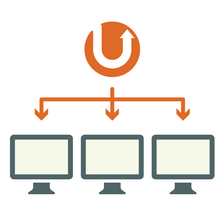
UpdraftCentral - Backup, update and manage all your WordPress sites from one dashboard
If you have a few sites, it'll save hours. It's free to use or try up to 5 sites. Follow this link for more information.
Or if you prefer to self-host, then you can get the self-hosted version here. Go here to connect it.
Login or register for UpdraftCentral Cloud
- If you already have a teamupdraft.com account, then enter the details below.
- If not, then choose your details and a new account will be registered.
| Password | |
| One Time Password (check your OTP app to get this password) | |
|
|
|
Unless you have a problem, you can completely ignore everything here.
Site information
| Web server: | LiteSpeed (Linux s80.hostilica.net 5.14.0-611.49.1.el9_7 64-bit #1 SMP PREEMPT_DYNAMIC Tue Apr 21 16:39:08 EDT 2026) |
|---|---|
| ABSPATH: | /home2/irltzsih/nileaxiserp.the-its.com/ |
| WP_CONTENT_DIR: | /home2/irltzsih/nileaxiserp.the-its.com/wp-content |
| WP_PLUGIN_DIR: | /home2/irltzsih/nileaxiserp.the-its.com/wp-content/plugins |
| Table prefix: | wpof_ |
| Web-server disk space in use by UpdraftPlus: | 589 MB refresh |
| Peak memory usage: | 16 MB |
| Current memory usage: | 16 MB |
| Memory limit: | 512M |
| PHP version: | 8.2.33 - show PHP information (phpinfo) |
| MySQL version: | 10.11.19-MariaDB |
| Database maximum packet size: | 256 MB |
| Current SQL mode: | - |
| Curl version: | 8.21.0 / SSL: OpenSSL/3.5.5 / libz: 1.2.11 |
| OpenSSL version: | OpenSSL 3.5.5 27 Jan 2026 |
| MCrypt: | Yes |
| ZipArchive::addFile: | Yes |
| zip executable found: | Yes: /usr/bin/zip |
| Apache modules: | auth_basic, expires, headers, mime, rewrite |
| Install debugging plugins: | WP Crontrol | Query Monitor | SQL Executioner | WP Filemanager |
| HTTP Get: | Fetch Fetch (Curl) |
| Call WordPress action: | Call |
| Site ID: | (used to identify any Vault connections) 4cda828a4a501bff5a25a3b96b9d6a8d - reset |
| Show raw backup and file list Rescan remote storage - log results to console |
Lock access to the UpdraftPlus settings page
To lock access to UpdraftPlus settings with a password, upgrade to UpdraftPlus Premium..UpdraftCentral (Remote Control)
UpdraftCentral enables control of your WordPress sites (including management of backups and updates) from a central dashboard. Read more about it here.
Connect this site to an UpdraftCentral dashboard found at...
|
i.e. if you have an account there
A website where you have installed UpdraftCentral
Enter the URL where your self-hosted install of UpdraftCentral is located: |
| Description: |
|
Encryption key size:
|
| Back... |
Your web browser prevented the copy operation. Follow this link to read about how to set browser permission
| Key description | Details |
|---|
Search / replace database
This can easily destroy your site; so, use it with care!
Total (uncompressed) on-disk data:
N.B. This count is based upon what was, or was not, excluded the last time you saved the options.
| Plugins: | count |
|---|---|
| Themes: | count |
| Uploads: | count |
| Must-use plugins: | count |
| Others: | count |
Total Size:
Reducing your database size with WP-Optimize helps to maintain a fast, efficient, and user-friendly website. Follow this link to install the WP-Optimize plugin. Go here for more information.
| Table name | Records | Data size | Index size | Type |
|---|
Cron events
Here, you can view the scheduled tasks set up by the UpdraftPlus plugin. These cron jobs are responsible for automating various backup processes at specified intervals. Each schedule includes details like the hook name, the interval, and the next scheduled run time.
| Hook name | Interval | Next run |
|---|
Export / import settings
Here, you can export your UpdraftPlus settings (including any passwords), either for using on another site, or to keep as a backup. This tool will export what is currently in the settings tab.
You can also import previously-exported settings. This tool will replace all your saved settings.
Wipe settings
This button will delete all UpdraftPlus settings and progress information for in-progress backups (but not any of your existing backups from your cloud storage). You will then need to enter all your settings again. You can also do this before deactivating/deinstalling UpdraftPlus if you wish.
UpdraftPlus Tour
Press this button to take a tour of the plugin.
Reset tourUpdraftPlus Premium
You are currently using the free version of UpdraftPlus. If you have purchased from teamupdraft.com please follow our instructions on how to install UpdraftPlus Premium
You successfully purchased UpdraftPremium.
Follow this link to the installation instructions (particularly step 1).
Features comparison
 Free
Free |
Premium
| |
| Installed | Upgrade now | |

Backup to remote storage locationsTo avoid server-wide risks, always backup to remote cloud storage. UpdraftPlus free includes Dropbox, Google Drive, Amazon S3, Rackspace and more. |
|
|

Cloning and migrationUpdraftPlus Migrator clones your WordPress site and moves it to a new domain directly and simply. |
|
|

Anonymisation functionsAnonymise personal data in your database backups. |
|
|

Incremental backupsAllows you to only backup changes to your files (such as a new image) that have been made to your site since the last backup. |
|
|

Fast, personal supportProvides expert help and support from the developers whenever you need it. |
|
|

Pre-update backupsAutomatically backs up your website before any updates to plugins, themes and WordPress core. |
|
|

Backup non-WordPress files and databasesBackup WordPress core and non-WP files and databases. |
|
|
Network / multisiteBackup WordPress multisites (i.e, networks), securely. |
|
|

Backup time and schedulingSet exact times to create or delete backups. |
|
|

WP-CLI supportWP-CLI commands to take, list and delete backups. |
|
|

More database optionsEncrypt your sensitive databases (e.g. customer information or passwords); Backup external databases too. |
|
|
Additional and enhanced remote storage locationsGet enhanced versions of the free remote storage options (Dropbox, Google Drive & S3) and even more remote storage options like OneDrive, SFTP, Azure, WebDAV, Backblaze and more with UpdraftPlus Premium. |
|
|

ReportingSophisticated reporting and emailing capabilities. |
|
|

No adsTidy things up for clients and remove all adverts for our other products. |
|
|

ImporterSome backup plugins can't restore a backup, so Premium allows you to restore backups from other plugins. |
|
|

Lock settingsLock access to UpdraftPlus via a password so you choose which admin users can access backups. |
|
|

UpdraftVault storageUpdraftPlus has its own embedded storage option, providing a zero-hassle way to download, store and manage all your backups from one place. Premium / Find out more |
|
1 GB |
| Installed |
More great plugins by TeamUpdraft

Makes your site fast and efficient. It cleans the database, compresses images and caches pages for ultimate speed.
Find out more

Highly efficient way to manage, optimize, update and backup multiple websites from one place.
Find out more